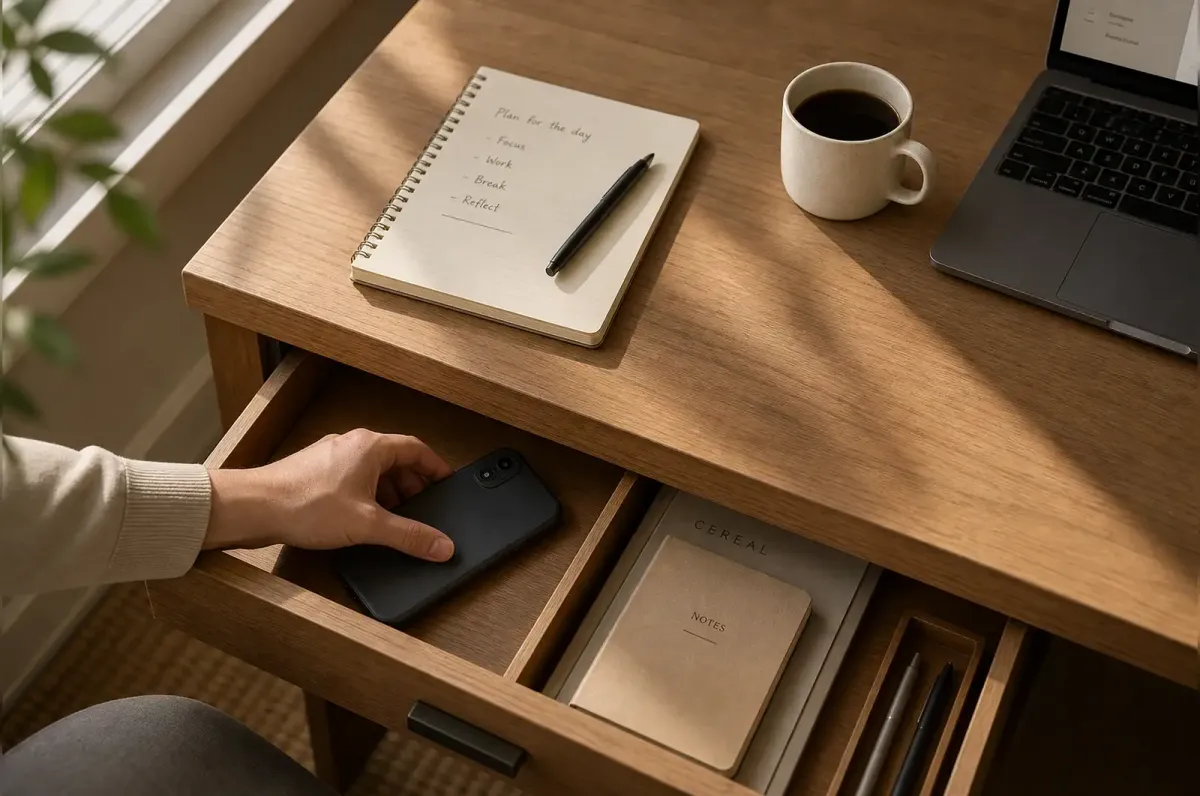
You check your phone. Four minutes since last time. Nothing new. You set it down. Two minutes later, you check again.
This isn’t weak willpower. Your phone was built by thousands of people whose entire job is keeping your eyeballs on the screen. It’s working. The average person checks their phone 144 times per day. Each check fragments your attention. Researchers at UC Irvine found that after an interruption, it takes roughly 23 minutes to return to full focus. If you check your phone just ten times during a workday, that’s nearly four hours of diluted concentration — and most people check far more than ten times.
If you’ve tried time blocking and Pomodoro and still catch yourself scrolling when you should be working, the issue might not be your discipline. It might be that your phone is simply better at its job than you are at resisting it. That isn’t self-defeating — it’s where a strategy that actually works has to start.
Why your phone always wins (and willpower doesn’t stand a chance)
Your phone has three structural advantages over your prefrontal cortex, and none of them are fair.
First, variable rewards. Notifications arrive unpredictably — a text from your boss, a like on your post, a breaking news alert. This is the exact same reward pattern that makes slot machines addictive. Your brain releases a small hit of dopamine every time you check, regardless of whether there’s anything worth seeing. The anticipation itself is the hook.
Second, zero friction. Unlocking your phone and opening Instagram takes less than a second. Compare that to reading a book: you have to find it, open it, find your page, and settle in. Your phone removes every barrier between impulse and action. The easier something is to do, the more you’ll do it — that’s not a moral observation, it’s behavioral economics.
Third, social pressure. Every unread message is a tiny social debt. Every group chat notification triggers FOMO. Your phone doesn’t just offer entertainment; it simulates social obligations. Ignoring it feels rude, which makes the compulsion to check even stronger.
Software solutions — app timers, Screen Time warnings, Focus modes — can nudge you in the right direction, but they share the same fatal weakness: you set them, so you can dismiss them in a single tap. If the person who built the fence also holds the key, the fence is mostly symbolic. The strategies that actually move the needle all share one trait: they add real friction between you and the distraction, rather than just reminding you that you’re distracted.
Physical barriers: when your phone needs to be somewhere else
The Brick is a palm-sized physical block that costs about $49. Here’s how it works: you download an app, choose which apps to block and for how long, then physically tap the Brick with your phone to lock them. To unlock your apps, you have to get up, find the Brick, and scan it again — and the Brick might be in another room, your car, or the back of the freezer.
Forbes contributor Esther Carlstone tested it for several months. “I thought the concept sounded a little ridiculous,” she wrote. “We’ve become so attached to technology that we’ve had to invent new tech to prevent us from using old tech.” But after losing a Saturday afternoon to mindless scrolling, she blocked social media for 17 hours. “It felt better than any like, share or comment that could’ve flashed across my screen.” Friends told her it transformed their date nights. Coworkers said it boosted their productivity.
The Brick isn’t magic. It’s just friction. The same principle works with cheaper tools. Put your phone in a drawer in a different room. Give it to your partner or roommate with instructions not to return it until lunchtime. Use a simple kitchen timer safe — the kind designed to lock up snacks — and drop your phone in for 90 minutes. All of these work because they turn checking your phone from a reflex into a decision. When you have to stand up, walk somewhere, and physically retrieve the device, your brain gets a moment to ask: do I actually need this right now? Most of the time, the answer is no.
Another thing that happens: phantom-checking stops. You know the move — reaching for your pocket even when your phone isn’t there. After a few days of keeping it out of reach, that reflex fades.
Software that helps (when you use it as a lock, not a suggestion)
Grayscale mode sounds like a gimmick, but it works for a specific reason. Color is one of the main tools apps use to hijack your attention — red notification badges, bright icon colors, autoplaying video thumbnails. Turn everything gray and those visual hooks lose most of their pull. You can still use every app. They just look boring. That’s the point.
App timers are worth setting up, but with a hard rule: never tap “ignore limit.” Treat the limit like a locked door, not a speed bump. If you genuinely need more time for a work-related reason, you can adjust the limit tomorrow. Today, it stands. Some people find it helpful to have a partner or family member set their Screen Time passcode so they physically cannot override it themselves.
Deleting social media apps and using the mobile web versions instead is another friction play. Instagram through a browser is slow, clunky, and lacks notifications. You’ll still check it — but you’ll check it less, because every visit takes effort instead of a thumb tap.
Also worth doing: kill every notification except calls from specific contacts. Not “vibrate.” Off. The screen shouldn’t light up. No banners, no badges, no sounds. Your phone should only interrupt you if your kid’s school calls or your partner has an emergency. Everything else can wait until you choose to check.
The mindset shift that makes the difference
A USA Today reporter spent a month with a dumb phone — calls and texts, nothing else. At the start of the experiment, she noticed something unsettling: her attention was “constantly fragmented.” When she talked to people, she was “physically there, but my mind was always bracing for the next notification.” She would lose her train of thought mid-sentence.
TikTok made her happy while she was watching, but the next morning she couldn’t remember a single video. When she swapped short-form content for long-form magazine articles and full episodes of a show instead of clips, her reading comprehension improved and her days started and ended with a sense of calm she hadn’t felt in years.
The breakthrough came halfway through the month. She realized she’d been treating the experiment like a restrictive diet — locking away the “junk food” without changing her relationship with it. She switched to what she called the digital equivalent of intuitive eating. Instead of just blocking everything, she kept a media-diet journal to track why she reached for her phone. She practiced noticing the trigger — boredom, anxiety, avoidance — rather than just fighting the behavior. And she gave herself permission to intentionally go online when it genuinely served her, like following the Knicks’ playoff run on social media because it connected her to the city around her.
Most productivity advice skips this part. Blocking your phone is easy for a day. Changing how you relate to it takes weeks. But the goal isn’t to never use your phone — it’s to use it when you choose to, not when an algorithm chose for you. Restriction without reflection tends to snap back. Restriction with awareness tends to stick.
A routine you can actually follow
Start with one 90-minute block. Put your phone in a different room. Close browser tabs that aren’t relevant to what you’re working on. Pick one thing — not a list, one thing — and work on it. That’s it. Do not try to redesign your entire relationship with technology on day one. You’ll burn out by Wednesday.
After a few days of consistent single-block sessions, add a second 90-minute block. Then try keeping your phone outside the bedroom overnight — buy a basic alarm clock if you need one. Two 90-minute deep work sessions typically produce more meaningful output than eight hours of context-switching between email, Slack, meetings, and your phone.
A few other habits that stack well: keep your phone face-down during meetings, even on silent — seeing the screen light up is distracting without any sound. Charge your phone in a different room from where you work, so you’re not tempted to “just check something” while it’s plugged in. And if you use your phone as an alarm, stop. That one change alone prevents the first-thing-in-the-morning scroll that sets a reactive tone for the entire day.
TechCrunch reported in July 2026 that the market for minimalist phones and kid-safe devices is growing fast — devices like the Bark Phone and Teracube Thrive are designed specifically to reduce distractions rather than add features. If the industry is now building phones for twelve-year-olds that can only call and text, maybe the rest of us should take the hint about what these devices do to our attention.
What changes after you actually try this
The first few days are uncomfortable. Your hand reaches for your pocket on autopilot. There’s a vague unease, like you forgot something important. That’s dopamine withdrawal, and it’s temporary — most people find it fades after about three days.
After a week or so, something shifts. You start reading more deeply — not skimming, actually absorbing paragraphs without your eyes jumping to the top of the screen to check for notifications. You remember conversations more clearly because you were fully present for them. At the end of the workday, you feel tired in the normal way — from having done things — rather than the drained, scattered exhaustion that comes from switching tasks 40 times.
You don’t need a $49 Brick or a dumb phone to experience this. You need to make your current phone slightly harder to use. That’s the whole insight. Add enough friction that checking your phone costs ten seconds instead of half a second, and your brain will start choosing focus on its own. Not because you’re more disciplined — because the path of least resistance finally points toward the work you actually want to do.

Discussion
Comments
Share a helpful tip, question, or takeaway from Your Phone Is Killing Your Focus at Work — Here's How to Stop.
0 Comments
Loading comments…