
I found $47 a month I was throwing away, and I didn’t even know I was doing it.
This wasn’t a big obvious expense. It wasn’t a questionable Amazon purchase or a dinner out I regretted. It was a collection of tiny, forgettable charges — a language app I used exactly twice in 2024, a cloud storage upgrade I signed up for during a panicked “my phone is full” moment, and a streaming service I swear I canceled after that one show ended.
I felt stupid when I found them. But here’s the thing: I’m not unusual. The average American spends $1,332 a year on subscriptions, according to CNET’s 2026 subscription survey, and wastes $252 of that on services they don’t use. That’s a full streaming subscription and a half just… evaporating.
There’s a name for this: subscription creep. And the worst part isn’t the money — it’s how invisible the whole thing is.
What Subscription Creep Actually Looks Like
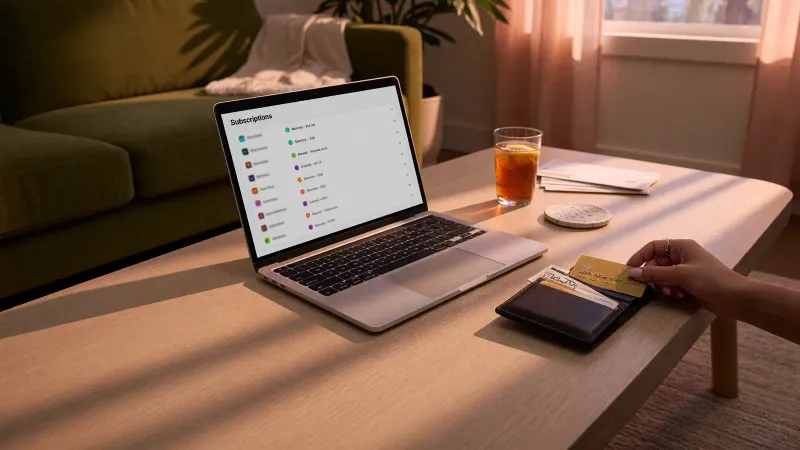
Subscription creep isn’t one big mistake. It’s death by a thousand tiny autopay deductions. Here’s how it typically happens:
The free trial you forgot to cancel. You signed up for a premium meditation app during a stressful week in March. You used it twice, felt slightly better, and never opened it again. The $12.99 monthly charge has been quietly running ever since.
The “I’ll cancel after this project” service. You needed a design tool for one freelance gig six months ago. The project ended. The subscription didn’t.
The bundle you didn’t need. Your phone carrier threw in a streaming service “at no extra cost” — except it was only free for three months, and you never read the fine print about what happens after.
The pandemic subscription that outlived the pandemic. Peloton app, Zoom Pro, that meal kit you ordered when you swore you’d learn to cook. Still there. Still billing.
The shared account nobody actually uses. Your family shares a premium plan, but only one person logs in. You’re paying for four screens; one is being used.
CNET’s survey found that US adults spend an average of $111 a month on subscriptions. Millennials are spending $101 a month on apps alone. And according to West Monroe, 89% of consumers underestimate how much they’re actually paying. You think it’s $50. It’s closer to $150.
Why We Don’t Notice (And Companies Count On It)
There’s a reason you don’t catch these charges. It’s not laziness — it’s design.
Companies use something researchers at Maynooth University call “dark patterns” — deliberate design choices that make signing up frictionless and canceling a nightmare. The industry term for cancelation obstacles is “Roach Motel”: you can check in anytime you like, but you can never leave.
Consider the asymmetry:
- Sign up: Click one button. Maybe enter an email. Done in 15 seconds.
- Cancel: Log in (what was the password again?), navigate to Account → Settings → Billing → Manage Subscriptions → Cancel → “Are you sure?” → “Really sure?” → “What if we give you 30% off?” → “Please don’t go” → Finally, maybe, canceled.
Some companies bury the cancel button behind five or six clicks. Others require a phone call during business hours. A few only let you cancel through the same device you signed up on. These aren’t accidents. They’re conversion-optimized retention funnels, and they work.
Harvard Federal Credit Union describes it bluntly: “Some companies intentionally make it difficult for consumers to cancel a subscription, knowing many people will stay subscribed longer if canceling the subscription is a hassle.”
The psychology is simple. If canceling takes more mental energy than the $9.99 monthly charge feels like it’s worth, you won’t do it. And the subscription lives another month. And another. And another.
The 30-Minute Subscription Audit: Step by Step
This is the part where you actually fix it. The whole process takes about half an hour — less time than you’ll spend scrolling Instagram tonight.
Step 1: Pull Your Last Three Bank Statements (5 minutes)
Open your banking app or log into your bank’s website. Download or screenshot the last three months of transactions. I use three months because some services bill quarterly or annually, and a single month won’t catch everything.
Don’t use a budgeting app for this step — at least not yet. Apps can miss things, categorize wrong, or only show one month at a time. Raw statements are ground truth.
Step 2: Highlight Every Recurring Charge (10 minutes)
Grab a highlighter — physical or digital — and mark every charge that looks like it might be recurring. Here’s what to look for:
- Charges with the same amount appearing month after month
- Charges from companies you don’t immediately recognize
- Names formatted weirdly (Apple charges often show as “APL*” followed by the service name; Amazon subscriptions appear under various merchant codes)
- Annual charges that hit once — $99.99 from a company you barely remember
Don’t judge anything yet. Just highlight. If you’re not sure whether it’s recurring, highlight it anyway.
Step 3: The “Would I Buy This Today?” Test (10 minutes)
Now go through each highlighted charge and ask one question: If someone asked me to pull out my wallet and pay for this right now, would I?
Not “is it a good deal.” Not “maybe I’ll use it someday.” Would you physically hand over cash for it today?
If the answer is no, it goes on the cancel list.
Be honest here. That exercise app you haven’t opened since January? The premium news subscription you read one article from? The cloud storage plan that auto-upgraded when you weren’t paying attention? They all fail the test.
Step 4: Cancel Everything On the List (5 minutes)
This is the part where dark patterns fight back. Here’s how to win:
For streaming services: Most let you cancel through account settings. If you get the “Are you sure?” page, you’re almost there — just click through. Some offer a pause instead of cancel. Take the pause if it’s a service you genuinely use seasonally (like a sports streaming service). Otherwise, full cancel.
For app subscriptions on iPhone: Settings → Your Name → Subscriptions. You can cancel almost anything from this one screen. It takes 30 seconds per app and completely bypasses the company’s cancellation flow.
For app subscriptions on Android: Google Play Store → Profile → Payments & Subscriptions → Subscriptions. Same idea.
For services that require a phone call: This is the hardest category. Gyms, some cable/internet bundles, and older subscription models still use phone-only cancellation. Call during business hours, say “I’d like to cancel my subscription,” and when they offer you a retention deal, say “I appreciate it, but I’d just like to cancel.” Repeat until done. Write down the cancellation confirmation number.
For charges you literally don’t recognize: Google the merchant name exactly as it appears on your statement. Sometimes it’s a parent company (e.g., “BAM*” for Books-A-Million). If you truly can’t identify it, call your bank and dispute it.
What I Found In My Own Audit
When I did this, the results were humbling:
- Language learning app: $9.99/month. Used for two weeks in 2024. Total wasted: roughly $240.
- Cloud storage upgrade: $2.99/month. I upgraded during a panic and never downgraded. Total wasted: roughly $75.
- Streaming service I “paused”: $15.99/month. The pause expired after 30 days and I never noticed. Total wasted: roughly $95.
- Premium newsletter: $8/month. I read maybe one in five issues. Kept it because unsubscribing felt rude. (It’s not rude. It’s your money.)
That’s $36.97 a month — $443.64 a year — for things I either didn’t use or barely used. Your number might be higher or lower, but I’ve yet to meet someone whose number was zero.
How to Keep the Creep From Coming Back
Canceling once feels great. Staying canceled is the harder part. Here are a few habits that help:
Set a quarterly calendar reminder. Every three months, spend 10 minutes scanning your statements for new recurring charges. I do mine on the first Saturday of January, April, July, and October. It takes less time than watching a single episode of whatever show I’m currently binging.
Use a subscription tracker. Rocket Money and Quicken Simplifi are the most popular paid options. Bobby (iOS) is a solid free alternative. These apps connect to your bank account and flag recurring charges automatically — though I still recommend the manual audit every few months as a gut check.
Rotate, don’t accumulate. For streaming services especially, the smart move isn’t to cancel all of them. It’s to keep one or two at a time, binge what you want, then cancel and switch. You can have every major streaming service over the course of a year for the price of subscribing to three of them simultaneously. Companies hate this approach because it breaks the set-it-and-forget-it autopay model. That’s exactly why it works.
The 48-hour rule for free trials. When you start a free trial, set a phone reminder for two days before it expires. If you’re still actively using the service when the reminder goes off, keep it. If you forgot the app existed until your phone buzzed, cancel immediately.
Check your library first. Before subscribing to audiobook services, digital magazines, or streaming platforms, check what your local library offers. Most US libraries now provide free access to Libby (ebooks and audiobooks), Kanopy (streaming movies), and digital magazine services. Harvard FCU specifically recommends this as a zero-cost alternative to paid subscriptions.
One Last Thing
The goal isn’t to cancel everything and live like a monk. If you use Spotify every day, keep Spotify. If your fitness app actually gets you to work out, it’s probably worth the money.
The goal is to stop paying for the things you forgot you had.
Thirty minutes. Three months of bank statements. One honest question — “Would I pay for this today?” — applied to every recurring charge you find. That’s the whole system. It’s not complicated. It’s just uncomfortable, because finding $47 a month you were throwing away feels a little embarrassing.
But you know what feels worse? Letting it run for another year.

Discussion
Comments
Share a helpful tip, question, or takeaway from You're Probably Paying for 5 Subscriptions You Forgot About — Here's How to Find and Kill Them in 30 Minutes.
0 Comments
Loading comments…