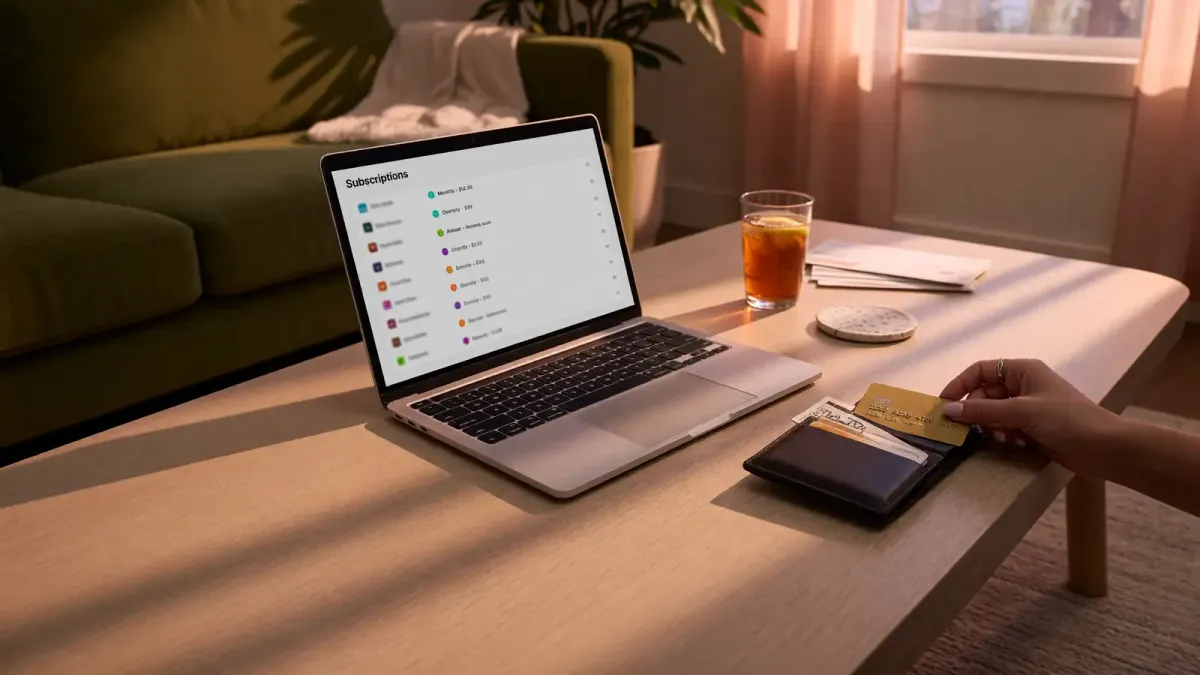
You know that feeling when you check your bank statement and see a charge for something you don’t remember signing up for? Yeah, that’s your subscription trap working exactly as designed.
The subscription economy has gotten out of hand. A decade ago, you paid for Netflix and maybe Spotify. Now there are food delivery apps, AI tools, cloud storage, fitness trackers, printer ink, meditation apps, and enough streaming services to recreate a 2009 Comcast bill five times over. Nearly every company decided your credit card deserved a recurring monthly charge.
Most people have at least one subscription they forgot about entirely. And many more are paying for services they barely use. The UK government recently announced new rules to crack down on “subscription traps,” bringing forward a ban by three months to make it easier for consumers to cancel unwanted subscriptions. But you don’t need to wait for legislation to take control of your own spending.
The average household now spends over $200 a month on subscriptions, according to industry reports. That’s $2,400 a year, and a surprising chunk of it goes to services people rarely touch. I started tracking my own subscriptions last year and found three I’d been paying for over a year without opening once. The money was just leaving my account every month, silently, like clockwork.
Multiple streaming services you rotate between
Remember when cutting the cord was supposed to save money? We went from one expensive cable bill to juggling Netflix, Hulu, HBO Max, Disney+, Peacock, Paramount+, and three others you forgot were still auto-renewing. Worse, many now charge more while showing ads. Paying to watch commercials is a special kind of punishment.
The math doesn’t add up when you subscribe to everything. If you’re paying $15 each for four streaming services, that’s $60 a month or $720 a year. Most people watch maybe two or three shows on each platform in any given month. The rest of the time, those services sit idle while your credit card gets charged anyway.
The smarter move is to rotate services rather than subscribe to all of them year-round. Subscribe for a month, binge what you want, cancel it, then move on to the next one. Unless you’re constantly using a specific platform every week, you’re paying $20 a month just to scroll past the same five shows every night before rewatching The Office again.
A streaming stick like the Amazon Fire TV Stick 4K Max can help you manage this rotation more easily. And don’t forget that a lot of free content exists now, from ad-supported movies and TV shows to live news and sports highlights. Tubi, Pluto TV, and Peacock’s free tier all offer decent libraries without costing you a dime.
Audiobook subscriptions you signed up for in January
Audiobook subscriptions are dangerous because they’re somewhat aspirational. You set a goal to become the person who listens to 45 books a year, downloaded three titles on January 2nd, and then forgot your Audible subscription existed by March.
For heavy listeners, Audible and similar services can be worth the money. But before committing, check what you already have access to. Spotify includes audiobooks on paid plans. Your local library likely offers free audiobook apps like Libby or Hoopla. Many podcasts cover similar ground to nonfiction books without the subscription cost.
Printer ink subscriptions
Printer ink subscriptions might be one of the clearest examples of how everything became a subscription. Most people barely print anymore aside from shipping labels, school forms, and the occasional recipe. If you’re still printing constantly for work or running a home office, an ink subscription may make sense. But for casual users, a cheap monochrome laser printer is usually the better long-term move.
The Brother HL-L2405W wireless monochrome laser printer costs around $140 and prints thousands of pages before you need to replace the toner. No subscription required, no surprise charges, no “low ink” notifications nagging you every two weeks.
Fitness and weight loss app subscriptions
A lot of people now have what can only be described as a subscription smoothie of fitness apps. Strava, MyFitnessPal, Apple Fitness+, Peloton, meditation apps, macro trackers, sleep apps at a certain point you’re paying $50 a month across five different apps that all want to count your steps.
The fitness app market exploded during the pandemic, and companies realized people would pay for convenience. But here’s what they don’t tell you: most of these apps duplicate features your phone and smartwatch already provide. Your Apple Watch or Garmin tracks steps, heart rate, and sleep without any additional subscription. Apple Health and Google Fit aggregate data from all your devices for free.
Modern smartwatches and phones already do a pretty impressive job handling most of this stuff for free. If you’re training for a marathon or following a specific daily program, keep the app that helps you do that. But many of these apps offer free trials or pared-down no-cost experiences that let you check them out before committing. For the ones you do use, watch for lifetime subscription options that eliminate the monthly drain.
The same goes for meditation apps. Headspace and Calm both charge around $70 a year, but YouTube has thousands of free guided meditation sessions. Your phone’s built-in timer works fine for basic meditation practice. You don’t need a subscription to breathe deeply and focus.
AI subscriptions you barely use
2025 and 2026 became the years of paying monthly for ChatGPT, Claude, Midjourney, and three other apps that promised to revolutionize your productivity before mostly just helping you write slightly more professional emails.
The AI subscription market is particularly tricky because the landscape changes so fast. What was the best tool six months ago might be outdated today. And many people signed up for multiple services during the hype cycle, not realizing they’d all end up doing roughly the same thing.
AI tools can be worth paying for, especially if you use them every day. The problem is that a lot of people now have overlapping subscriptions that basically do the same thing. You probably don’t need ChatGPT Plus AND Claude Pro AND a Midjourney subscription AND three other AI writing tools. Pick the one you actually use regularly and cancel the rest.
Most AI services offer free tiers that handle basic tasks. ChatGPT’s free version works fine for casual use. Claude has a free tier too. If you’re not using advanced features daily, the free versions are probably enough. Save the $20 a month and put it toward something you’ll actually enjoy.
Cloud storage upgrades
Cloud storage subscriptions usually start innocently enough. You run out of space once, upgrade to the next tier, and suddenly you’re paying monthly to store 14,000 screenshots, blurry dog photos, and a collection of memes from 2019 that you’ll never look at again.
A surprising number of people upgrade storage plans instead of just deleting junk. Modern phones are packed with duplicate photos, giant video files, and random downloads, all of which are driving up your storage needs. Before paying for more space, spend 20 minutes going through your photos and deleting duplicates, screenshots you don’t need, and videos you’ve already watched. You might be surprised how much space you free up.
Google Photos, iCloud, and Dropbox all offer generous free tiers that handle most people’s actual needs. If you do need more space, annual plans are almost always cheaper than monthly ones.
Retail memberships that overlap
Retail memberships are starting to feel a lot like streaming services. Amazon Prime, Walmart+, Instacart+, Target Circle 360 companies realized people will happily pay monthly fees in exchange for fast shipping and a few perks.
The issue with these is similar to streaming services: most overlap heavily. They’re also designed to remove every barrier between you and a purchase fast delivery, free shipping, one-click ordering which means you spend more, not less. If you’re paying for both Amazon Prime and Walmart+ just pick the one you actually use more often.
If you find yourself ordering from multiple retailers just because you have memberships, you’re spending more to save on shipping. That math doesn’t work.
Hiking and outdoor apps you downloaded before a trip
Outdoor apps have gotten really great. Offline maps, trail conditions, GPS tracking, campsite info they’re incredibly useful tools. The problem is that many casual hikers don’t need multiple premium subscriptions just to walk on a trail.
Apps like AllTrails+, Gaia GPS, and onX Backcountry have their place, especially for serious hikers and backcountry users. But many casual hikers don’t need multiple premium subscriptions just to walk on a trail. Your phone’s built-in maps app handles basic trail navigation fine for day hikes. Download offline maps before you go, and you’ve got most of what you need without paying $10 a month across three different apps.
How to actually audit your subscriptions
Knowing which subscriptions to cancel is one thing. Actually finding all of them is another. Here’s how to do a proper audit:
-
Check your credit card statements. Go through the last three months and highlight every recurring charge. You’ll probably find at least one you forgot about.
-
Review your app store subscriptions. On iPhone, go to Settings > [Your Name] > Subscriptions. On Android, open the Play Store > Payments & Subscriptions > Subscriptions. This shows you everything tied to your account.
-
Use a subscription tracker. Apps like Rocket Money (over 5 million users) automatically scan your bank accounts and identify recurring charges. They can even negotiate lower bills on your behalf.
-
Ask yourself the usage question. For each subscription, when was the last time you actually used it? If it’s been more than a month, you probably don’t need it.
-
Check for free alternatives. Before paying for a new subscription, search for free options. Most paid apps have free versions that handle the basics, and your phone already does more than you think.
The UK government recently announced new rules to make it easier for consumers to cancel subscriptions and crack down on “subscription traps.” But you don’t need to wait for legislation. Take 30 minutes this weekend, check your statements, and cancel everything you’re not actually using. Your bank account will thank you.
The subscription economy isn’t going away. But you can stop letting it drain your account for things you forgot about or never really needed in the first place.



Discussion
Comments
Share a helpful tip, question, or takeaway from 8 Subscriptions You're Probably Still Paying For (And Should Cancel Today).
0 Comments
Loading comments…